I’ve been itching to test out some specific workflows for rapid 3D prototyping. We all know the “text-to-image” game is strong, but I have been curious about how useful this can be elsewhere.
Today I ran a quick experiment to see how fast I could go from a vague idea to a 3D mesh using a combination of Gemini, image generation, and a tool called HiTem3D.
Spoiler alert: It works surprisingly well.
Phase 1: The Meta-Prompt
I didn’t want to spend an hour tweaking prompt weights. I wanted Gemini to do the heavy lifting. I used a “meta-prompt” technique—basically asking the AI to roleplay as a world-class prompt engineer to write the actual prompt for me.
My Input:
“You are a world class prompt engineer. I want you to provide me a prompt that instructs an image generating AI to create an image of a cute looking chihuahua in an astronaut suit, with no background content. I need an image of the same subject from in front, each side and the back.”
The Resulting Prompt: Gemini spit out a highly detailed instruction set, asking for a “four-panel orthographic character reference sheet” with specific details on lighting, attire, and layout constraints. It took the guesswork out of getting consistent angles.
Here is the first generation using that prompt:
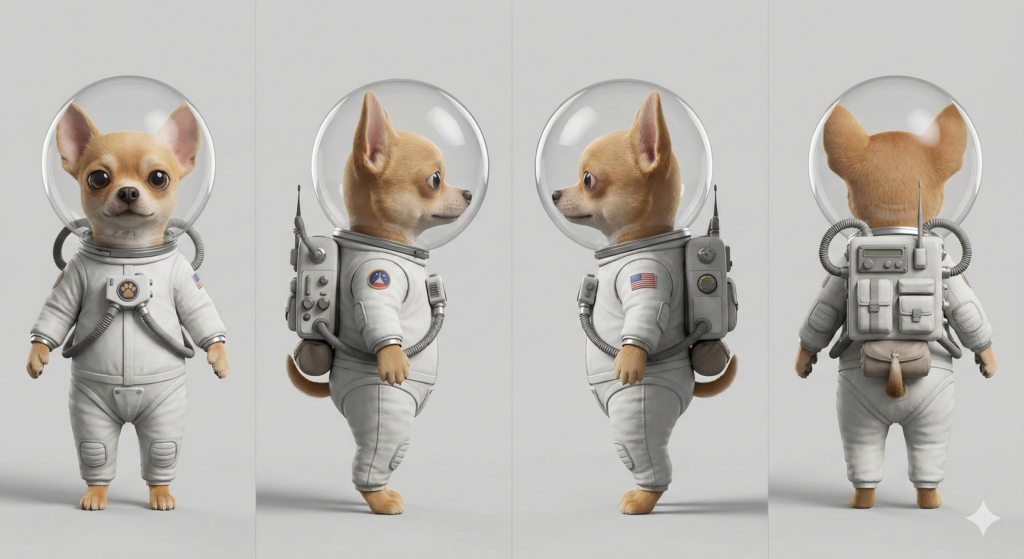
It nailed the orthographic views. The “Space Chi” looked great, and the helmet reflection was impressive in 2D. But I had a suspicion that the clear bubble helmet was going to cause headaches down the line.
Phase 2: The “Blob” Incident
I split the image into four separate files (Front, Left, Right, Back) and fed them into HiTem3D.ai to generate the mesh.
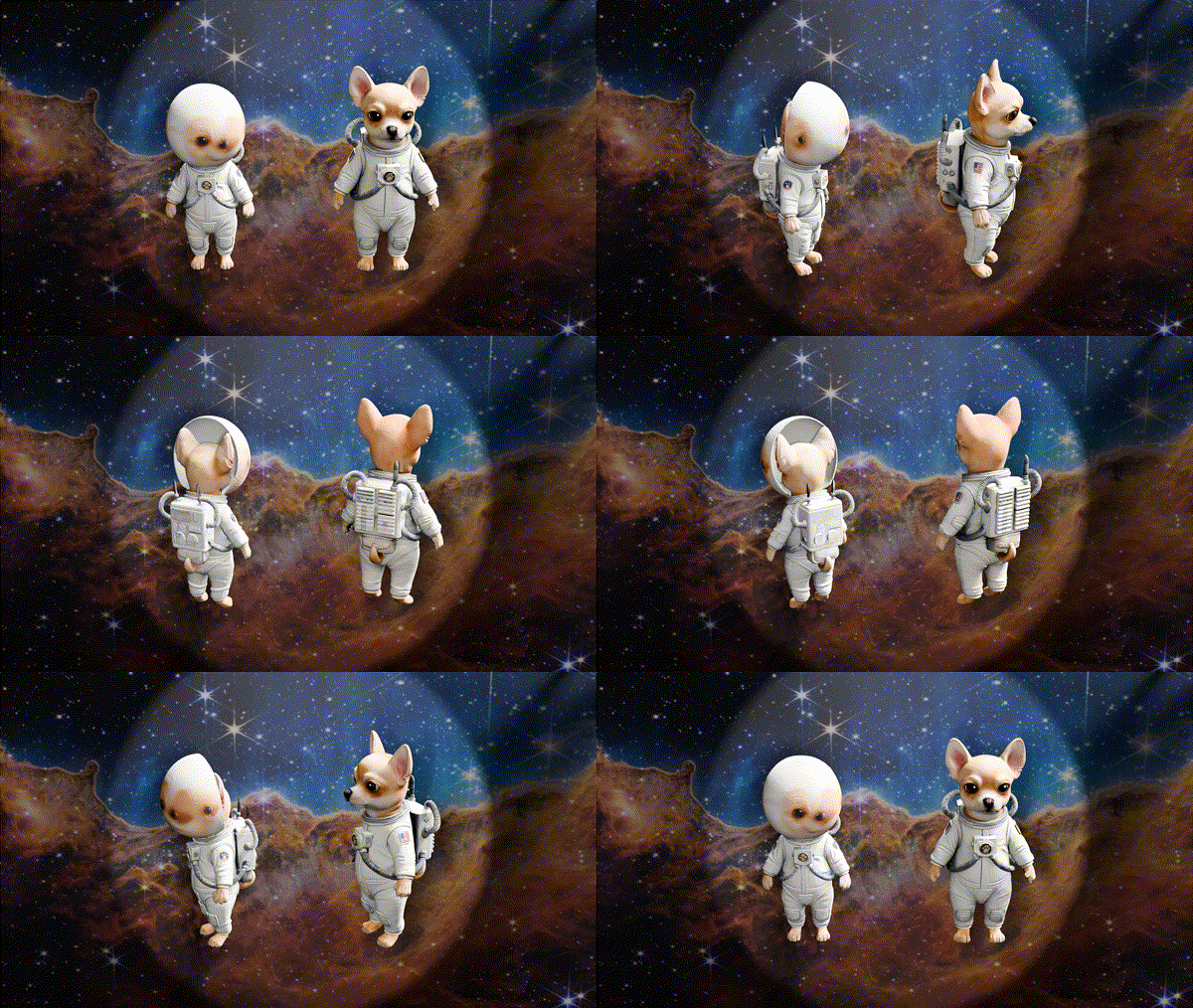
My suspicion was correct. AI meshing tools struggle hard with transparency. It didn’t know how to interpret the glass bubble vs. the dog inside, so it panicked and essentially shrink-wrapped the entire head into a smooth, texture-less egg.
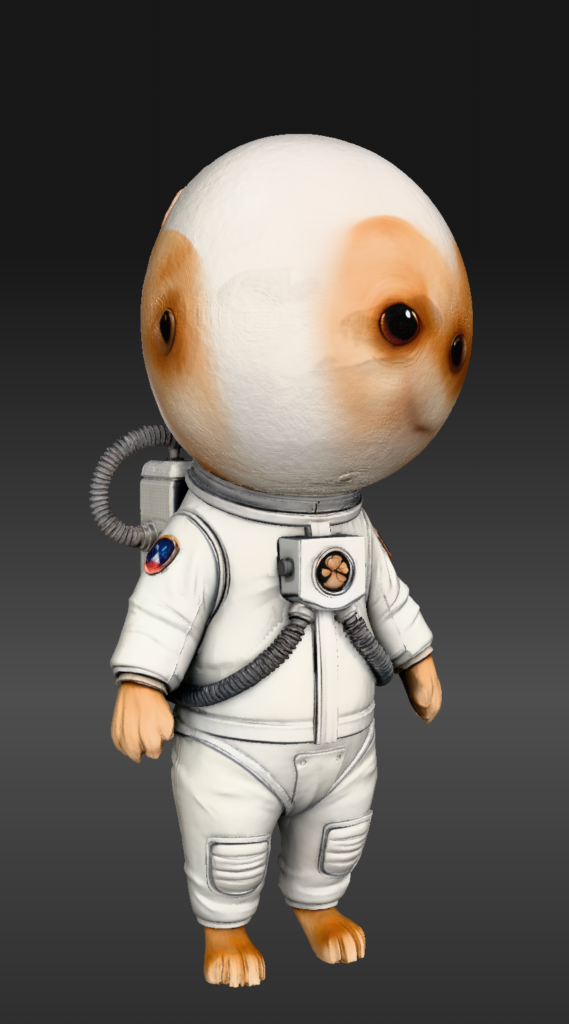
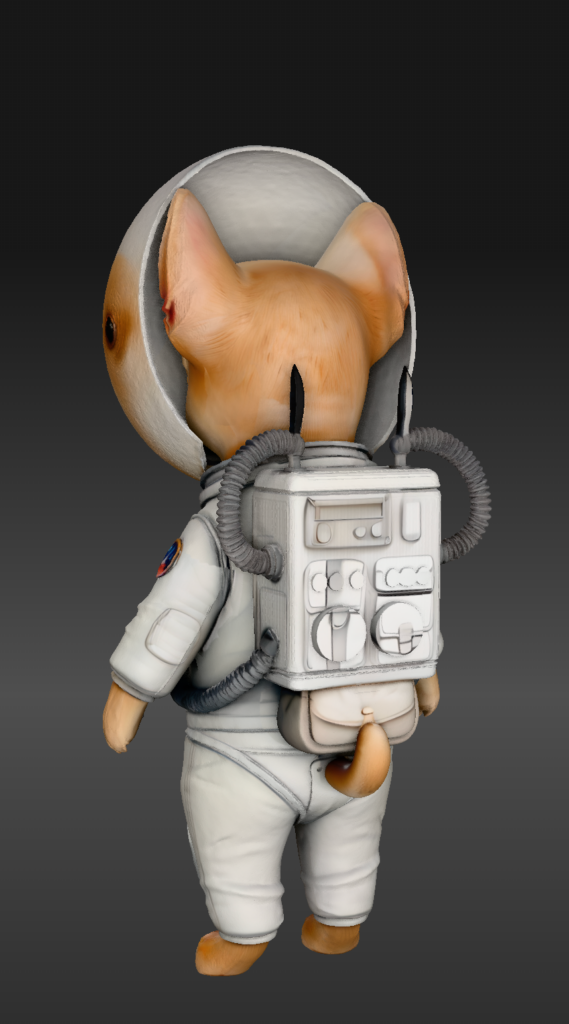
It’s actually a pretty clean mesh, but unless I’m making a horror game about faceless space dogs, it wasn’t what I was going for.
Phase 3: The Fix
The solution was simple: remove the complexity. I went back to Gemini with the generated image and gave it a simple modification command:
“Recreate this image but remove the glass helmet from the subject entirely leaving their head exposed.”
The result was much cleaner for a 3D workflow:
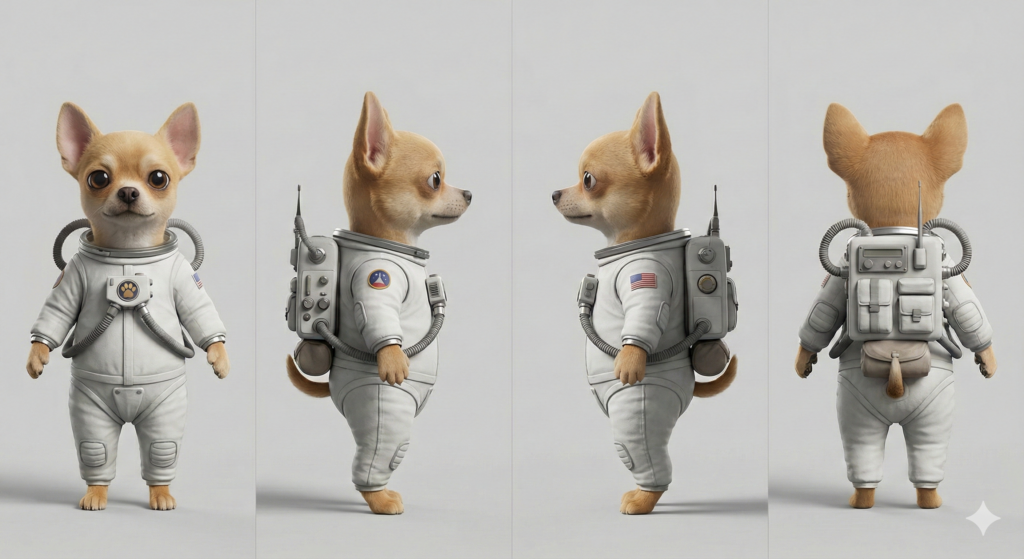
Phase 4: Success and Blender
I ran this new “helmet-less” version through the 3D generator again. This time, without the confusing glass layer, the AI could map the geometry of the snout, ears, and eyes correctly.
I imported the final mesh into Blender just to check the topology and texture quality. It’s not perfect – the poly count is a bit messy and the textures are baked in a way that would need cleanup for a real game – but for a concept that took me minutes to generate? It’s incredible.
Here is the comparison of the “Blob” mesh vs the final mesh:
Takeaways
- Transparency is still the enemy for current 3D AI generators. If you need glass, add it later in Blender; don’t try to generate it in the mesh.
- Meta-prompting works. Letting the LLM write the detailed structure for the image generator saved me 10 iterations of trial and error.
- The gap is closing. We aren’t at the “text-to-movie-ready-asset” stage yet, but for blocking out scenes or rapid prototyping, this workflow is becoming viable.
…. I sent the mesh over to my 3D for a stretch goal and its currently being extruded into the real world.
…. Some layer lines later…

Leave a Reply